

You can now access Discourse through your Mastodon login
Hey everyone! It's your neighbourhood Alex writing.
I wanted to let you know that I've been in my (IT) forge for the last few days and crafted something new for you.
Starting from today, to make it easier for all of you Mastodon users (and you've grown quite a lot, oh my!) to login or request an account in our Discourse instance (self-hosted, with the same principles of Mastodon of data retention and privacy) where the community resides, you can use your own Mastodon login!
But how? Let me guide you through the process.
When accessing Discourse you'll be presented with a Sign-Up / Login option. Select the login option and you'll be presented with the following screen
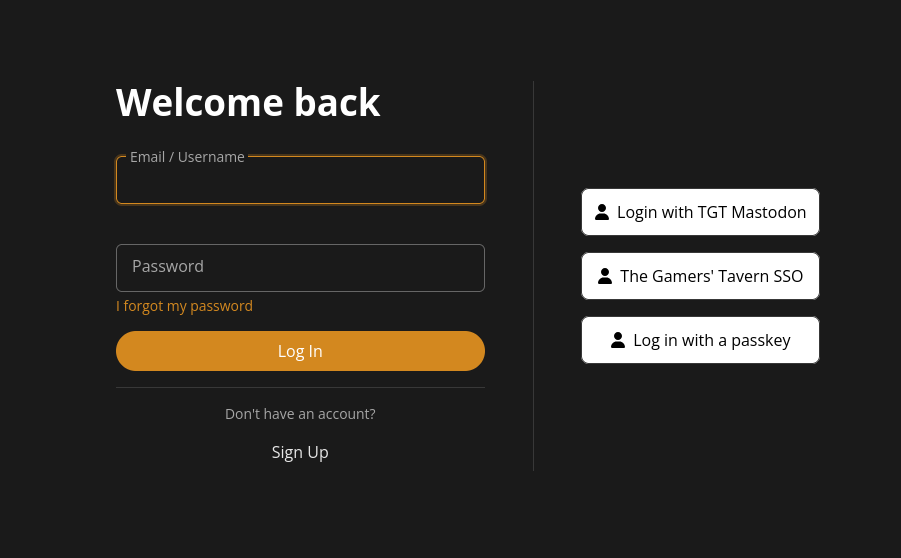
Select "Login with TGT Mastodon" and you'll be redirected to our Mastodon instance (mind that this will work exclusively with The Gamers' Tavern Mastodon instance).
You'll be presented with the option to give access to your profile (meaning your username, your profile picture and your displayed name, nothing else)
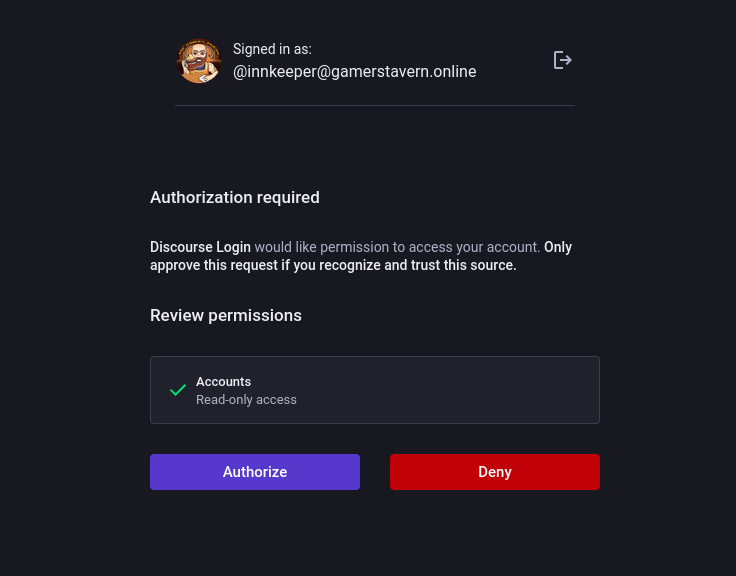
Selecting "Authorize" you'll be redirected once again to Discourse and you'll be asked to insert your email.
But wait, why I need to insert my email once again? The answer is that we decided to limit the communication of private data between the two systems. While your username, profile picture and displayed name are available through the public interface of Mastodon, your email is not, and we'd like to keep it that way ;)
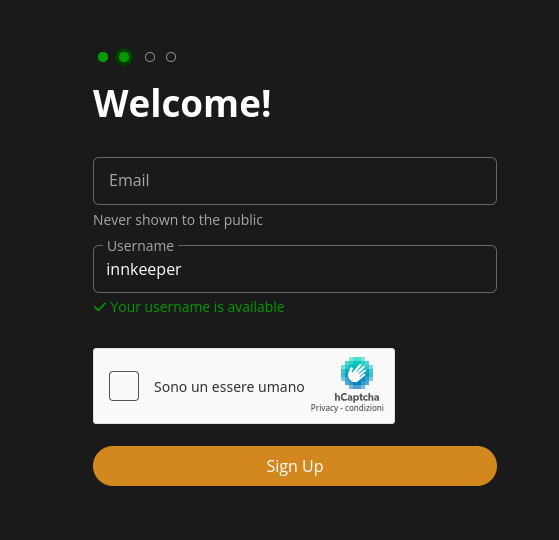
After inserting your email you'll be sent an email to verify your identity and voilà, you're in!
Neat, huh?
